
This testing method is needed whenever you lose connectivity on your network.
To perform the test you will need:
Equipment Requirements
Net485 Device
Power adapter (included on every purchase)
ATC820 serial to USB adapter
Ethernet cable.
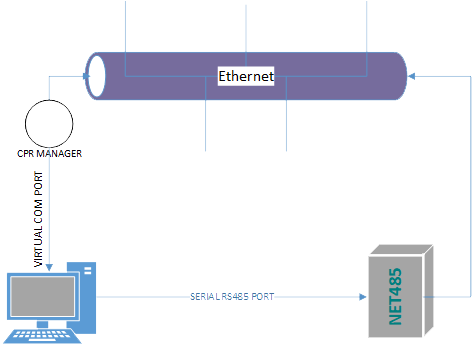
System Requirements
Windows OS
CPR manager
Device Installer
Tera Term or any other terminal emulation software
Start by installing the proper software such as DeviceInstaller, and Tera Term.
Downloads
| DeviceInstaller | Lantronix(Website) |
| Com Port Redirector (CPR) | Lantronix (Website) |
| Tera Term | TeraTerm Download Site |
Open up CPR MANAGER to create a virtual COM Port, by clicking on Add/Remove
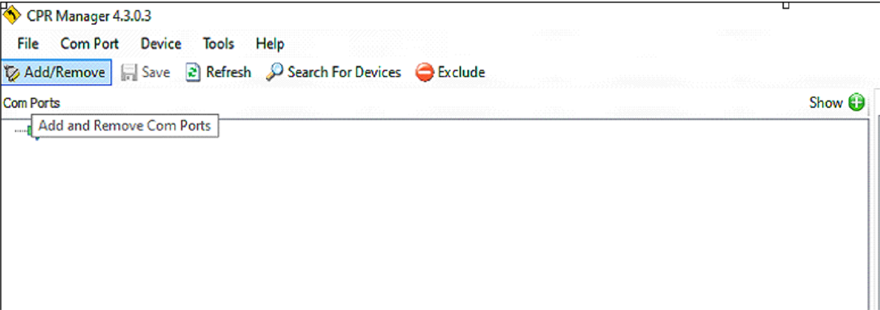
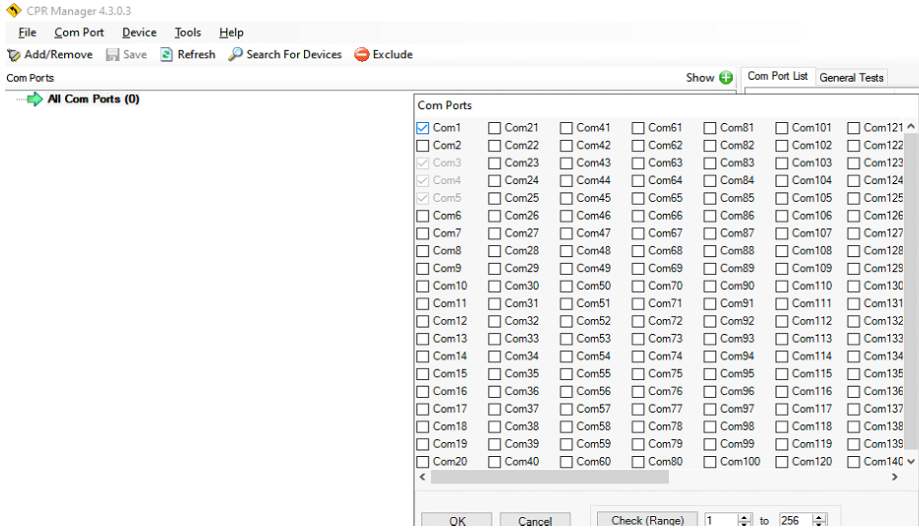
A new screen with available COM Ports will appear, select one to create a new COM PORT.
For this example, we will go with COM1 and then click Ok.
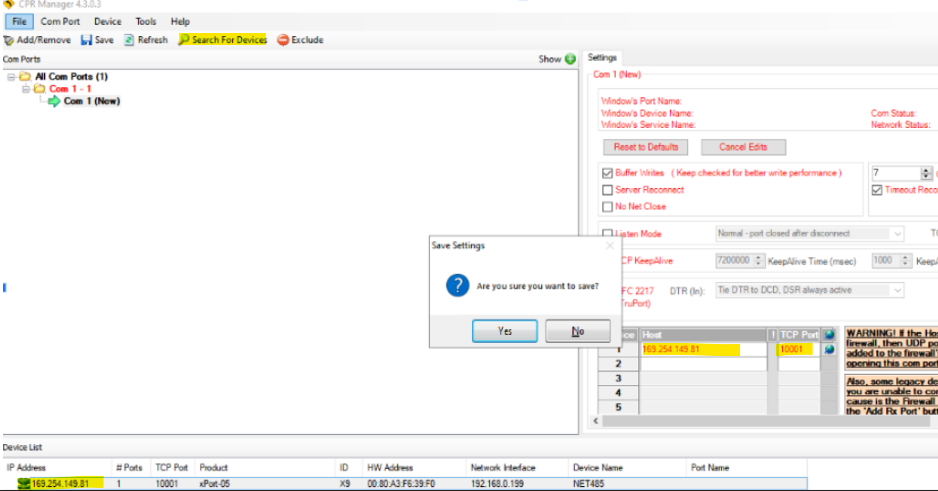
On this next screen we will do the following:
- Click on search devices
- Select the COM Port created (Com 1)
- Double-click the IP address on the bottom.
The information will be imported automatically to the settings tab both the IP Address and the TCP port, then click on the save option for all changes to be saved for the new Com1 created.
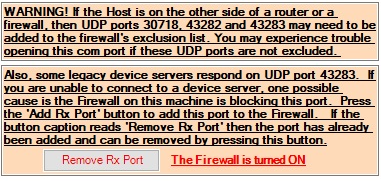
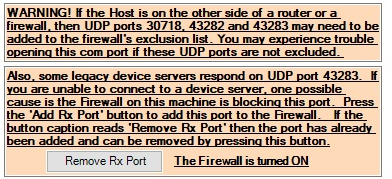
You may encounter problems connecting the device, you can fix some issues by clicking on this button and fixing both the port and firewall issues.
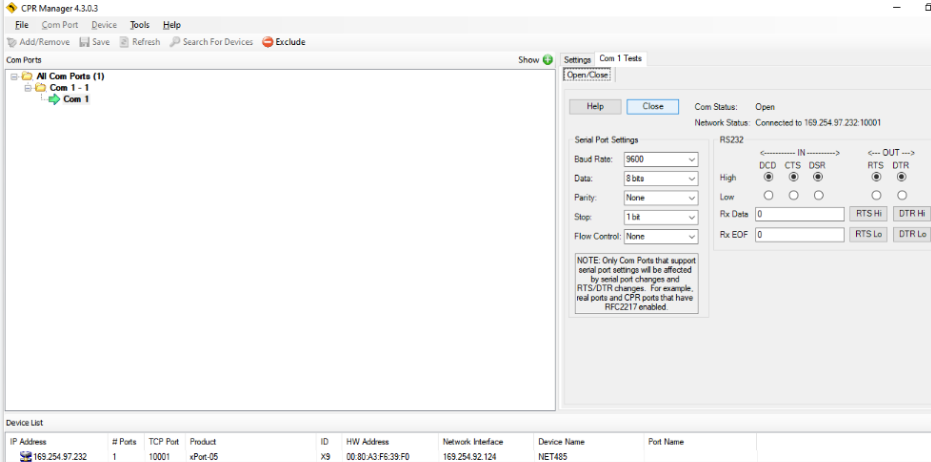
It is good practice for you to test the recently created COM Port by selecting the Com 1 test
Lantronix Device Installer Setup
If you cannot see the device under Lantronix Devices, make sure you are using the proper network adapter.
In this case, you can see Wi-Fi being selected, we need to change that in order to test the device via Ethernet.
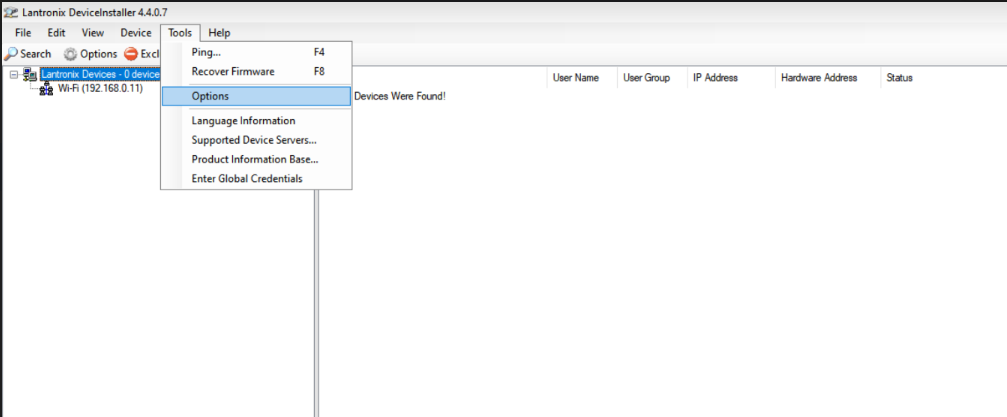
Click on Tools then select Options
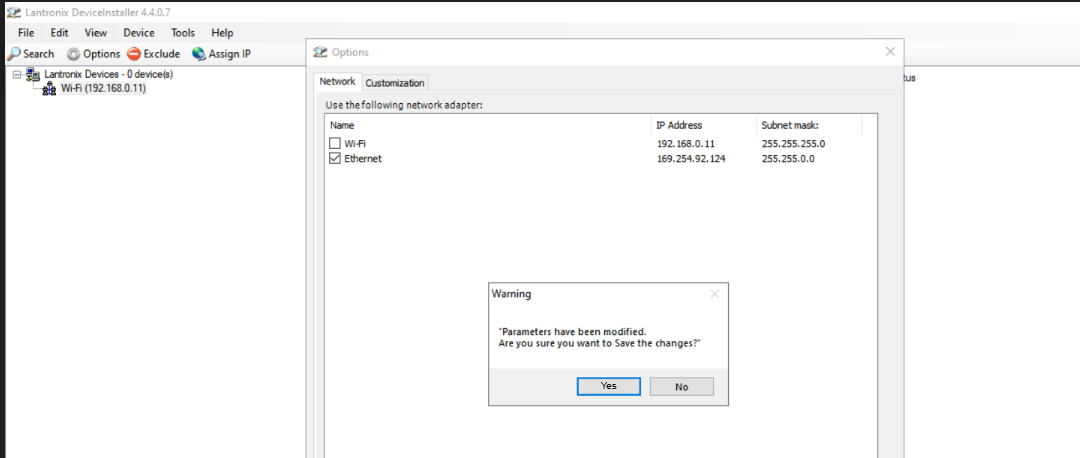
On the options window, select Ethernet, then save changes.
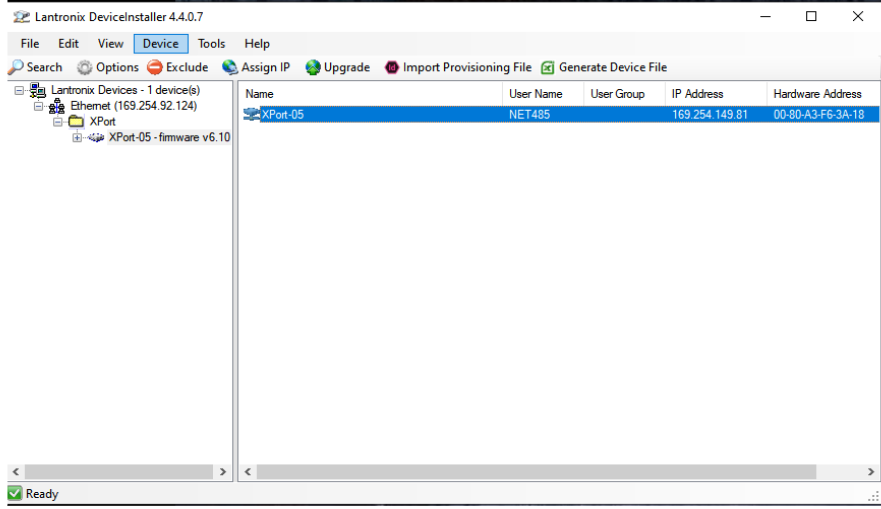
Ethernet will be detected as an XPort Device if done correctly.
If the device is still not found within DeviceInstaller, please follow the steps in this article.
Once we are sure everything is set up we recommend checking they are properly installed by using Windows "Device Manager"
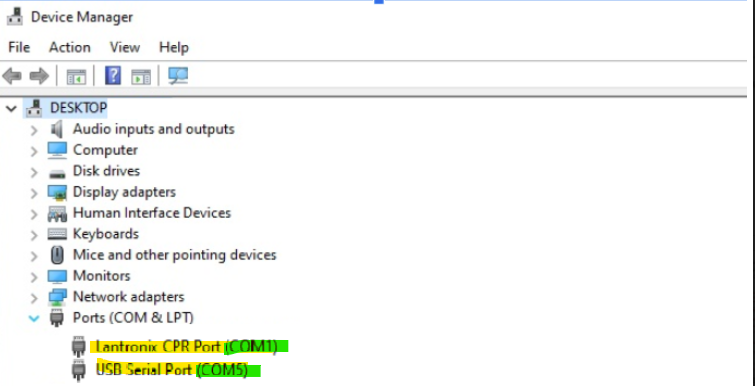
*Experiences may vary due to Windows installations, in some cases you may need Drivers.
Tera Term or another terminal emulator
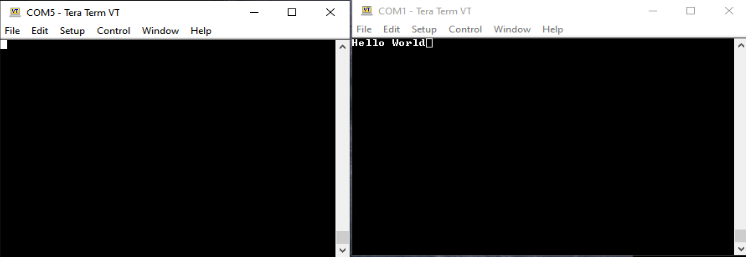
Open up a Tera Term session and select the first COM port available. In this case COM1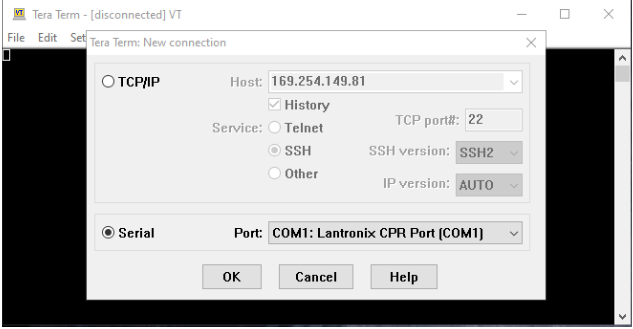
Once that Window connects open up a new session and choose the remaining COM port that you created COM5 in this case.
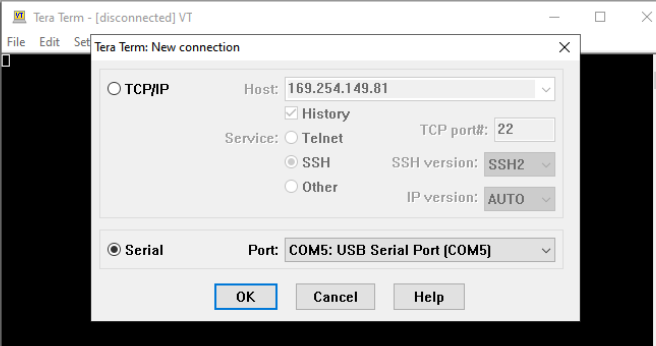
If everything is working properly, they both should talk to each other from COM1 to COM5
Comments
0 comments
Please sign in to leave a comment.