
Many of the features available on the Bluetooth devices can only be accessed in the configuration menu. The method for entering the configuration is the same on the Firefly, Fireplug, Firebat and Blueport XP. To access the configuration you will need to connect the serial port of your Bluetooth adapter to your PC.
Connect to the serial port of the PC, or use an RS232 to USB adapter.
Raise switch 4 on the front of the unit. This will set the baud to 9600.
Power on the unit.
Note: The adapters will read the DIP switch configuration at power up. You must always power cycle the device after changing the switches to enable the change.
Next you will need a terminal emulator program to access the com port the Bluetooth unit is connected to. Tera Term and Putty are common and are available as a free download. Open the program and select the com port the unit is connected to.
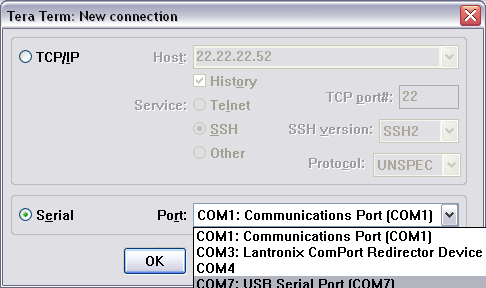
When you select the Com Port you will see a blank window.
Next you will need to make sure the baud rate of the Bluetooth device matches the baud rate of the Com window. (In Tera Term this can be set under Settings/Serial Port.)
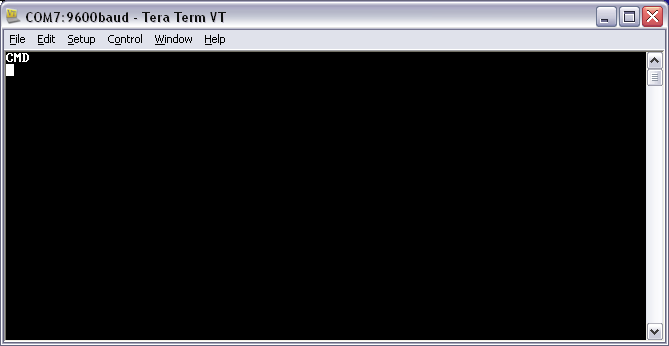
Type $$$ in the window to enter the configuration. You should see "cmd" appear.
Note: You will not see the characters appear in the screen as you type.
Press "d" for a display of the current settings.
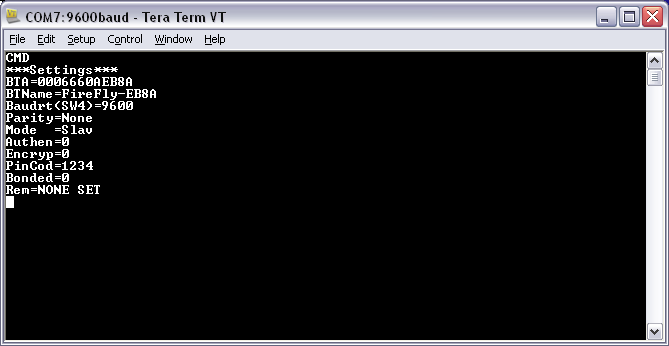
The commands to change the setting on your bluetooth device can be found in the user manual. The manuals can be found on the corresponding product page at gridconnect.com under "Documentation".
Comments
0 comments
Please sign in to leave a comment.