
In order for the RF Module software to find the ATC-863/871 units you will need a serial connection to the PC.
If you are using the RS232(S1) version you can connect directly to the serial port or through a RS232/USB adapter. If using the S2-RS485 model then you will need an RS485/USB converter, or an rs485 to RS232 converter connected to the PC.
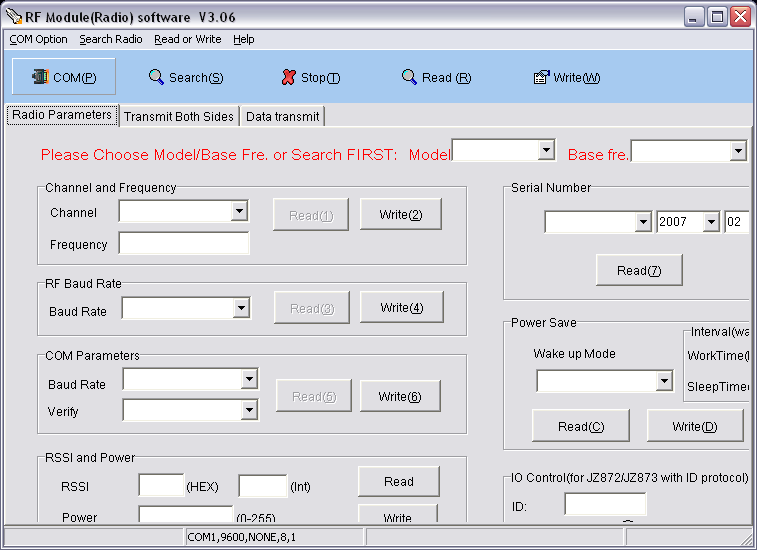
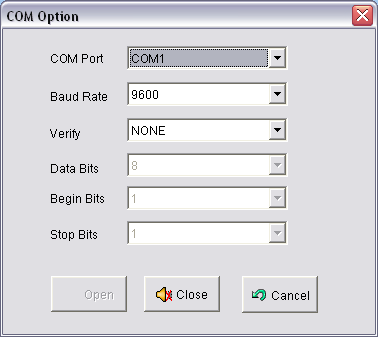
At the upper left of the page, select Com(P) and make sure the correct port is chosen. The software will search for the unit on the selected port. If you do not know the serial settings it will cycle through them in the search until it finds a match.
Do Not use a standard gender changer. If you need a gender changer use a Null Modem gender changer or cable on the RS232 lines.
Remove any USB hubs and connect directly to the PC if using a Serial/USB adapter.
Comments
0 comments
Please sign in to leave a comment.