
If you are running some CAN software trying to interface with PEAK Hardware (such as a PCAN-USB) and receive an error saying that PCANBasic.dll is not found, it means the PCAN-Basic libraries were not installed during the installation of the PEAK drivers.
Run the driver installation again from the PEAK DVD or you can download the PEAK driver package from this link:
http://www.peak-system.com/quick/DrvSetup
During the setup process, be sure to select "PCAN-Basic":
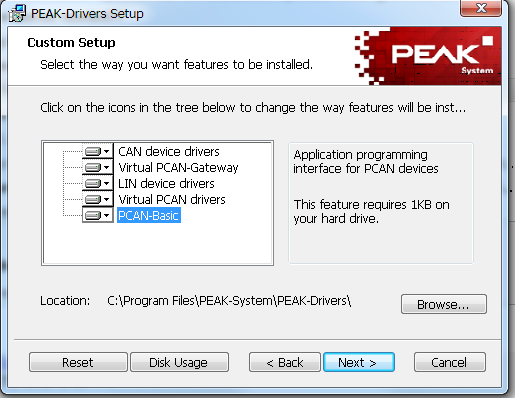
You may need to reboot your PC, then you'll be good to go!!
Comments
0 comments
Please sign in to leave a comment.